Every Session, Written Down.
Every Family, Kept in the Loop.
Your clients, their goals and their progress in one account. Build each session from a library of one-to-one drills, score every drill as it happens, and send the family a private report they open on any phone. Your clients are yours alone, and nobody needs an account to read what you send.
drills
to train
per session
with anyone
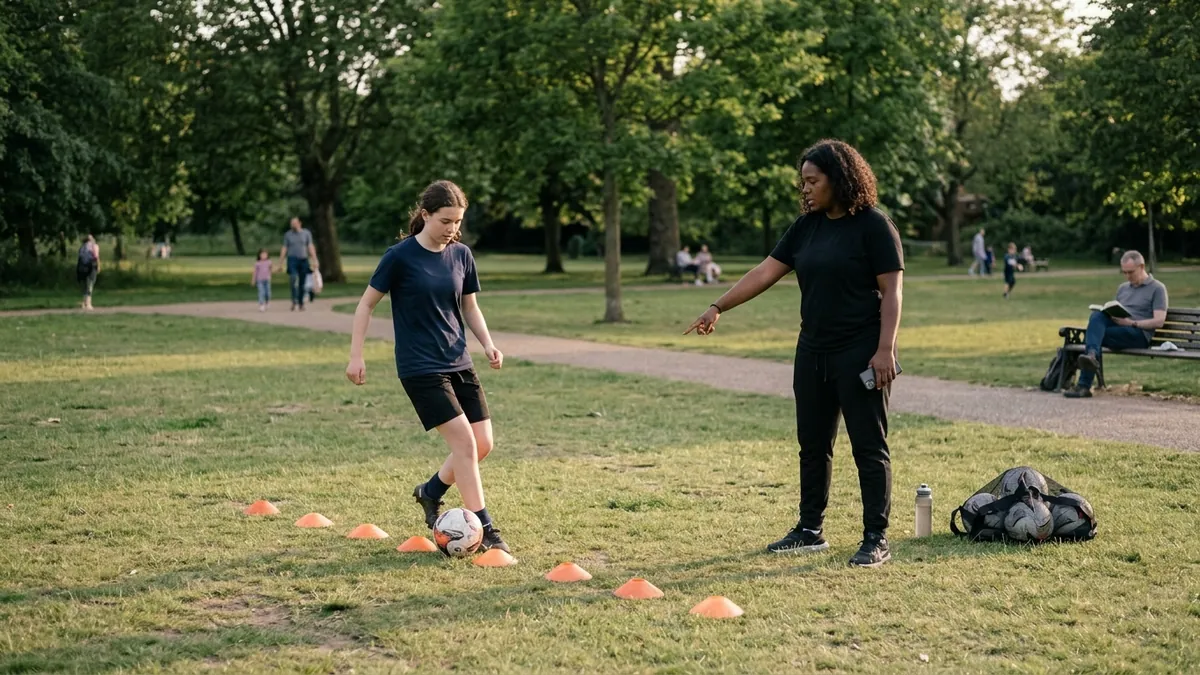
You see them for an hour. The family wants to know what that hour bought.
One-to-one training is the most personal coaching there is, and the hardest to show. Here every session leaves a record.
You know your client is better than in September. Here every drill carries a score, every session a number, and the trend is drawn for you.
A notebook, a phone, a spreadsheet and your head. Here each client’s goals, sessions, notes, video and calendar are one record.
Send a private report after every session: what you worked on, how it went, and what to practise before next time. It reads well on a phone.
Everything on the Trainer plan
Built for one coach and one player at a time.
Your clients
- A card per client with their last score, their trend and when they are next in
- Goals with a target, a date and a progress bar you move
- Private notes that never leave your account
- A client’s whole record downloaded as a file, and a nudge when a client has gone quiet for 90 days
- Health, emergency contacts and your waiver, filled in by the family through a link, the waiver in your own words
Sessions
- 35 one-to-one drills across technical, tactical, physical, thinking and set pieces, each with set-up, coaching points and variations, and your own drills beside them
- Eight for a small space, a room, a basement or a garage, and a Winter Indoors programme built only from them
- A planner that adds up the minutes as you pick
- Reps and a technique score for each drill, entered as you go, even with no signal
- Groups of two to eight on one screen, each client scored on their own
- Repeating sessions every week or two, until a date you choose
- Camps and clinics on your public page, with places, a waiting list and sign-ups straight to you
- Your checks and training on your page, each with its expiry, marked as declared by you
Progress
- A session score from the drills’ technique scores
- Every measured skill with its current, its best and its direction
- Training load week by week, split by intensity
The family’s report
- A private link per session, opened on any phone with no account
- Save as PDF from the report itself
- Withdraw a link at any time, and see when it was opened
- Email it, or send a monthly report of the whole month
- The family replies from the report, and you read it on the session
- A renewal report per package: the sessions used of those bought, each skill’s latest check and what the phone measured, never the price
Video
- A session’s video, or a clip per drill
- Mark up a frame with arrows, lines and circles, and put it on the family’s report
- Then and now: two videos side by side, one play button
- Session Setup to frame the camera before you start
AI, when you want it
- A suggested session from your client’s goals and recent scores
- A drafted note for the family from the session
- A reading of a video against a focus you write, for your eyes only
- Credits included every month, and you edit before anything is saved
Homework the phone actually hears
Everywhere else, homework is a box the client ticks. On Spatrian the family’s phone counts it, touch by touch, and tells you whether the skill stayed.
Counted by ear
Set wall passes, shooting, ball control or juggling with a target and a date. The family opens a private link, the phone learns the ball from three touches, and counts every one after. No sound ever leaves the phone; only the time of each touch does.
Heard, or typed
Every run says whether the phone heard it, someone corrected it, or it was counted by hand. Only touches the phone heard count towards the target. Each morning you get an email of the runs your clients saved the day before.
Did it stay?
Each run starts quietly, before the player warms up. After a few days away that opening shows whether the skill held, nearly held or faded, drill by drill.
Plan around what faded
Every check, at a session or on homework, folds into one answer per drill: held, close or faded. Faded drills lead the next suggested session with the reason beside them, and Home names each one with the clients it faded for.
Your own drills, counted
Say what one rep of your own drill sounds like, a touch on the ball or a pass against a wall, and the phone counts it at your session and as the family’s homework, like the library’s drills.
Families already on Spatrian
A family who trains here types your code and you see what their phone measured. Propose a target or a note; it lands only when they accept.
Fitness tests with norms
Sprint, agility, jumps and the plank, placed against the age group’s norms, with the change since the baseline in every report.
Programmes
Lay out four or six weeks in one go, from our starters or your own: every session on its day, and homework each week.
Found, booked and paid
The parts of a training business that are not the training.
Your own page
spatrian.com/t/your-name: your words, your specialties, your area, and the times you offer. It never shows anything about a client.
Requests, not surprises
Families ask for a time on your page. You get an email, accept or decline, and the client and the booking are made for you.
On your phone’s calendar
A private link adds every session and booking to Google, Apple or Outlook calendar.
Paid into your own Stripe
Sell packages of sessions by a pay link. Families pay you by card; each session you complete uses one. Opening to trainers as we go.
Listed on Find a Trainer
Families can find your published page under Find a Trainer once someone at Spatrian has read it, and, if you let search engines find it, on the page for your state and city, from the place your page names. Change its words and it is read again before it shows.
Several trainers, one business
Invite up to five other trainers by email. Each sees the clients assigned to them; you see the business’s whole book and hand clients between you. Each extra trainer is a seat on your plan.
Setting your prices? The rate calculator works out what a session has to cost from your own year: what you want to take home, your costs, your hours and your cancellations. Free, and nothing you type is sent.
Every client, at a glance
Open your account and your week is waiting: how many sessions are booked and done, your clients’ average technique over the last four weeks, and who is next.
- Each client’s trend is their own scores, never anyone else’s.
- Nobody else can see them. Not another trainer, not a coach, not a family.
- On your phone at the side of the pitch, with Clients, Schedule and Drills under your thumb.
Your training book
Good morning, Jo
5 of 7 sessions done this week · 420 minutes planned.
- MCMaya C.Winger · Intermediate 79
- LOLeo O.Striker · Advanced 82
- ARAva R.Goalkeeper · Beginner 61
Plan a session · Maya C.
Sat 18 Oct · 60 min- First Touch MasteryReceive and control from varied angles and heights12 min
- Weak Foot DevelopmentPass, shoot and dribble with the weaker foot only15 min
- 1v1 Dribbling Under PressureBeat the trainer in a confined space10 min
- Agility Ladder + Cone SlalomQuick feet through the ladder, then slalom10 min
Plan it in a minute. Score it as you go.
Pick what the session is for, tick the drills, and the minutes add up as you go. On the day, enter each drill’s reps and a technique score from 0 to 100. Score the session when you’re done.
- 35 drills built for one player, each with set-up, coaching points and ways to make it harder or easier, and your own drills listed first.
- Watch for, and say: coaching points a person at Spatrian approved, beside the drills they fit.
- A group of two to eight on one screen, each scored on their own drills, and each family sent a report that never names the others.
- No signal on the pitch? Reps, scores and notes are held on your phone and sent when it comes back.
- Attach the video of the session, or a clip of one drill.
- Book the diary: sessions, matches and rest days, and see each week’s load.
Show what changed, in numbers
Every scored drill adds to the client’s record. Their average, the line of their sessions, and each skill’s current and best are drawn for you, so the conversation with a family starts from what was measured.
- Against their own past, never a chart of other players.
- Goals with a target show how far along they are.
Maya C. · Overview
6 sessions- First Touch Masterynow 81 · best 84▲ improving
- Weak Foot Developmentnow 74 · best 74▲ improving
- Precision Passing Circuitnow 79 · best 85— steady
Session report · Martinez Training
Maya C.
Weak-foot finishing · Saturday 18 October · 60 min
+9 since September
What the family gets after every session
Write a short note for the family, then send a private link. They open it on any phone without signing in, and save it as a PDF if they want it on paper.
- The session: each drill’s reps and score, and the session’s score.
- Your note: what went well, and what to work on before next time.
- The goals and the trend: how far along, and the last sessions as a line.
- Their reply: a box on the report to answer you, which lands on the session.
- The day before: an email reminder of each session with a start time, which the family can switch off.
- Consent by email: the guardian reads what is kept and agrees in their own name, recorded apart from your own tick.
Your private notes, the client’s notes or age, any video, or anything about your other clients. The player is named by first name and initial. Withdraw a link and it stops opening at once.
A head start, never the last word
Three things can use AI, and nothing it writes reaches a family unless you put it there. Each costs a few credits from your plan, said beside the button before you press it.
Suggest the next session
Reads a client’s goals, recent sessions and scores, and suggests a session from the drill library with a reason for each drill. Use it as it is, or change it.
Draft the family’s note
Writes a first note from the session’s scores and drills. You read it, change what you like, and save it when it says what you mean.
Read the video
Reads a session’s or a drill’s video against a focus you write, and says what it saw. No scores and no comparison with anyone. It is for you; copy a line into the family’s note if you want them to read it. AI video analysis is not available in the beta yet; we will say here when it opens.
Book the weeks, and watch the load
Sessions, matches, rest days and assessments go in each client’s calendar. The last four weeks are drawn as minutes split by intensity, with a note when a week looks too heavy or too light.
Training load, last four weeks
Week 41: high-intensity load is elevated. Consider a recovery session.
What stays yours, and what a family sees
Your clients’ records are kept for you, and shared only by you.
Your clients are yours alone
No other trainer, coach or family on Spatrian can see them; in a business, its head also sees the clients filed under it. A client you delete takes their sessions, notes and video with them.
A family sees what you send
A session or a month, by a private link that expires. Your private notes never reach a family.
Nobody ranked
Each client is measured against their own past. There is no leaderboard of your clients, and no chart of other players.
A guardian’s agreement, recorded
Each client carries a parent or guardian’s agreement to the record being kept: your tick, or their own answer by email, recorded apart. A reminder shows until there is one.
The Terms, in Plain Words
What a trainer and a family can count on, plan or no plan.
No ads, anywhere
Not to you, not to your clients and not to their families. No advertising cookies, no tracking pixels, and we do not sell data.
No hardware to buy
No sensor, pod or camera rig, for you or for a family. The family’s own phone does the counting.
Try a client’s phone first
The juggle counter needs no account. If it hears the ball on their phone, the homework the phone counts will.
What you sent stays sent
A family needs no account to read your reports, and a link you sent keeps working until it expires, whether or not your plan does.
Straight answers
A trainer who coaches players one to one, on their own or in a small business: private sessions, small-group skills work, or extra training alongside a player’s school or club team. It is your own account, for your own clients.
No. Your clients are kept in your account, and a family reads each session’s report by a private link you send. They never sign in, and never pay Spatrian anything.
Only you. No other trainer, coach or family on Spatrian can see them, and Spatrian staff open an account only to help when you ask. If you join a business of trainers, its head also sees the clients filed under the business.
One session: what you worked on, each drill’s reps and score, the session’s score, your note for the family, the player’s goals in progress, their recent trend, the homework running and the next session, with a box to reply to you. Never your private notes, the player’s notes or age, any video, or anything about your other clients.
Yes. Withdraw it from the session and it stops opening at once. Every link also expires, after a week, a month, three months or a year, as you choose, and you can see how many times each was opened.
Three things: suggesting a client’s next session from their goals and recent scores, drafting the note for the family from a session, and reading a session’s video against a focus you write. Each uses credits, and the plan includes credits every month. If the AI cannot answer, the credits are given back. Nothing is sent to the AI until you allow it, and for a client under 13, or with no age on file, the session and the note are suggested by rules instead and use no credits.
Yes. Write your own on Drills, with its set-up, coaching points and variations. Your drills are listed first in your library, marked as yours, and nobody else sees them. A session keeps a drill as it was when you ran it, so changing one later rewrites nothing. Say what one rep sounds like, a touch on the ball or a pass against a wall, and the phone counts it at a session and as homework, as it does the library’s. The 35 one-to-one drills of the library sit beside them.
No. Your method stays yours: plan each session, score every drill as it happens and send the family the report, all by hand. The Audio Coach is the family’s, for the days between sessions, and only if they want it. Where you set homework on a drill the phone can hear, the family’s phone counts it for you.
Yes. Attach a session’s video or a clip of one drill, compare two side by side, and mark up a still frame with lines, arrows and circles. Session Setup helps you frame the camera first. Video stays in your account and never goes into a family’s report; a frame you mark up goes on a report only when you tick it and the client’s guardian agreement is recorded.
Your login is closed and every client, session, note, clip, video and report link goes with it. If your plan is active, it is cancelled first.
A soccer training platform for players aged 13 to 18 and the people who develop them, in four parts that each work on their own and connect when you want them to. The player trains and keeps one record of it, their coach sets targets the family’s phone counts, their personal trainer sends the family a private report after every session, and for a homeschool family the same sessions become the PE record.
No. Each part stands on its own. Use one, or connect them: a player needs no coach or trainer, a coach needs no family to sign up, a trainer’s families need no account, and connecting by code is always your choice.
Players aged 13 to 18, in three age bands: U14, U16 and U18. The drills, lessons and games are written for those ages.
Your hour on its own, or joined to their week
Spatrian is one soccer platform for players aged 13 to 18 and the people who develop them: the player, their coach, their personal trainer and, for a homeschool family, the PE record. Your clients, sessions and reports work with no family account at all, and your clients stay yours. If a client’s family trains on Spatrian, they can type your code, and you see what their phone measured between sessions.
Each player trains, with the Audio Coach or their own way, and every session lands in one record, which the homework you set adds to.
For players → Their team coachA school or club coach connects by code in the same way and sets targets the same phone counts. Each of you sees only what the family shares.
For school & club coaches → A homeschool familyThe player’s own sessions on Spatrian become PE hours, a portfolio and a transcript anyone can verify.
For homeschool families →Passing this on? Print this page on one sheet (PDF)
First beta group · forming now
Opening to a Small First Group of Trainers. Free.
We are taking in a small first group, few enough that we can read every piece of feedback and act on it. Leave your email and we will write when a place opens.
- Free for the whole beta. There is nothing to pay now, and the Trainer plan, AI credits included, costs nothing while the beta runs.
- Your clients need no account. They read your reports by link.
Join the waiting list
Places are limited, so the list is a queue rather than a place. We will email you when one opens.
We send one email to check the address is yours, and nothing else until you click the link in it. After that: an email when a place opens, and three short notes about the free tools while you wait. Every message we ever send can be unsubscribed from in one click.